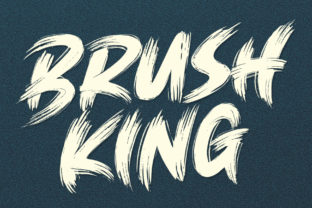
Brush King: Creative Tools for Real Work
Brush King isn’t just another digital brush pack—it’s a thoughtfully curated toolkit built for people who make things that matter. Whether you’re sketching a logo in Procreate, refining a client presentation in Figma, or drafting lesson visuals for your classroom, Brush King delivers precision, consistency, and expressive control without the friction of endless tweaking.
What Makes Brush King Different
Most brush libraries prioritize quantity over coherence. Brush King takes the opposite approach: every brush is designed with intention—tested across real workflows, refined for responsiveness, and grouped by function rather than aesthetics alone. You’ll find brushes calibrated for clean vector-like linework, textured hand-drawn warmth, subtle shading gradients, and even specialized tools for typography overlays or UI annotation.
It works seamlessly across platforms—Procreate, Adobe Fresco, Affinity Designer, and even browser-based editors that support .abr or .brushset formats. And unlike generic packs, Brush King includes clear usage notes: which brushes pair well together, when to adjust opacity versus flow, and how pressure sensitivity behaves at different tilt angles.
Creative Applications That Stick
Brush King shines where creativity meets execution—when an idea needs clarity, not just flair. Here’s how real users apply it:
- Bloggers & educators use the “Clarity Ink” set to annotate screenshots, highlight key UI elements in tutorials, or hand-letter section headers that feel personal but remain legible at small sizes.
- Freelance designers rely on the “Studio Liner” brushes to draft wireframes directly on tablet—no switching between apps, no pixel-perfect rigidity, just confident, scalable strokes that translate cleanly into final mockups.
- Small business owners combine the “Signature Wash” and “Textured Stamp” brushes to create branded social assets—think illustrated quote cards or product feature graphics that carry visual continuity without needing a full design system.
- Hobbyists and makers adapt the “Grain Sketch” series for analog-style journaling, zine layouts, or packaging mockups—tools that support process, not just polish.
Style Is a Choice—Not a Constraint
Brush King doesn’t lock you into one look. Instead, it gives you levers to shape tone intentionally. Want warmth without mess? Use the “Matte Pencil” with low opacity and high spacing for soft, controlled layering. Need urgency and energy? Try the “Dynamic Taper” brush with aggressive pressure falloff—ideal for storyboarding or live workshop sketches.
The key is restraint: pick two or three brushes per project and stick with them. That discipline builds visual rhythm—and makes your work instantly more recognizable. A newsletter illustration using only Brush King’s “Ink Block” and “Dry Marker” brushes reads as cohesive, not chaotic—even if the subject changes weekly.
Adapting Brush King Across Contexts
How you use Brush King depends less on what you make and more on why you’re making it—and who’s receiving it.
For educators: Prioritize legibility and contrast. The “Chalkboard Bold” and “Highlighter Glow” brushes help students track concepts during live demos or recorded lessons—without overwhelming the content. Keep stroke weight consistent; avoid overly textured brushes in dense text-heavy slides.
For marketers and publishers: Think about platform constraints. Instagram feed posts benefit from bold, simplified strokes (try “Monoline Heavy”), while Pinterest pins or blog headers gain depth with layered washes (“Watercolor Base” + “Soft Edge Dry”). Always preview at actual display size—what looks expressive at 200% zoom can vanish on mobile.
For developers and technical creators: Use Brush King’s “UI Annotation” set to mark up code snippets, architecture diagrams, or API flowcharts. These brushes include subtle alignment guides and edge snapping hints—designed so your annotations enhance, rather than obscure, the underlying structure.
Keeping It Organized (Without Over-Engineering)
You don’t need a custom brush library for every project—but you do need a reliable starting point. Brush King includes a lightweight naming convention: “Type_Function_Variation” (e.g., “Pencil_Sketch_Light”, “Brush_Ink_Medium”). This makes it easy to filter, search, and recall purpose—not just appearance.
Build your own mini-system: duplicate Brush King’s core set, rename folders by use case (“Client Review”, “Rough Draft”, “Final Export”), and disable brushes you rarely reach for. Fewer options = faster decisions = more time spent creating.
Realistic Inspiration, Not Just Pretty Pictures
Don’t chase “viral” brush effects. Instead, ask: What problem does this solve right now?
- Stuck explaining a complex process? Sketch it step-by-step using the “Flow Arrow” and “Callout Circle” brushes—then export as a single PNG for Slack or email.
- Need to differentiate brand voices across platforms? Assign specific Brush King sets to each channel: “Clean Liner” for LinkedIn posts, “Grain Sketch” for Instagram Stories, “Stamp Icon” for email footers.
- Preparing a pitch deck? Replace generic stock arrows and icons with hand-drawn versions using Brush King’s “Icon Builder” set—subtle enough to feel professional, distinct enough to stand out.
One designer uses Brush King exclusively for client discovery sessions: sketching user flows on a shared tablet in real time. Because the brushes respond predictably—no accidental splatters, no laggy tapering—the focus stays on collaboration, not correction.
Making It Your Own—Without Losing Clarity
Customization matters, but only when it serves your audience. Brush King includes editable source files (SVG and JSON) so you can adjust spacing, angle response, or grain density—but start by mastering the defaults. Most improvements come from *how* you use the tools, not how much you change them.
If you’re building templates—slide decks, Notion dashboards, Canva social kits—embed Brush King strokes as static assets. That ensures consistency across collaborators, even if they don’t have the full set installed. Export at 2x resolution for sharpness on retina displays; name files descriptively (“icon-checklist-bold”, “header-divider-textured”).
And remember: originality lives in application, not novelty. A simple Brush King line drawing paired with thoughtful copy and smart spacing will outperform a flashy, over-brushed composition every time—especially when your goal is understanding, trust, or action.
Brush King won’t replace your judgment—but it will support it. It gives you room to think, space to experiment, and confidence that your marks land the way you intend. That’s not just useful. It’s how creative work becomes reliable, repeatable, and genuinely helpful.